SiteGlance
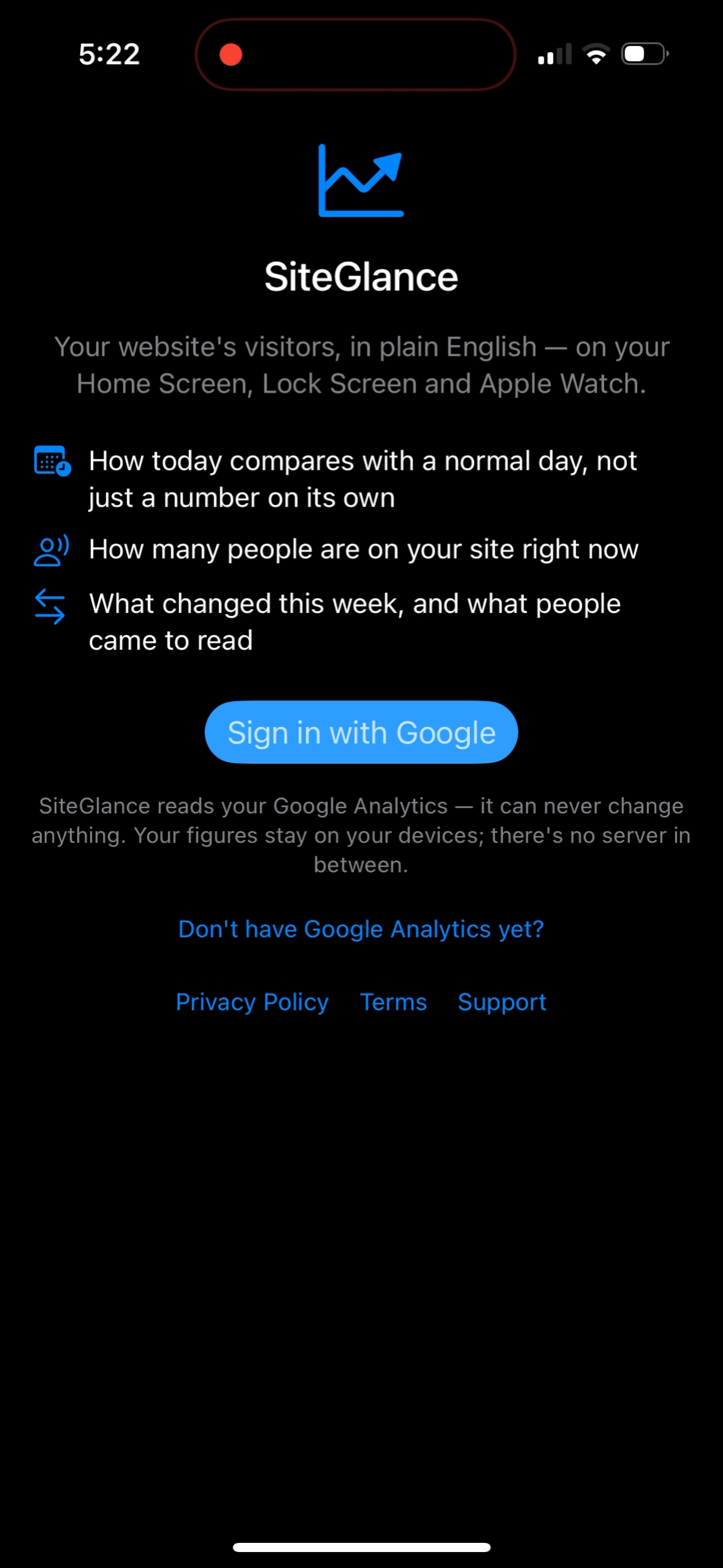
Your website's visitors, in plain English, on your iPhone Home Screen, Lock Screen and Apple Watch.
SiteGlance reads your own Google Analytics 4 property and turns it into sentences you can act on: how today compares with a normal day, how many people are on your site right now, what changed this week, and what people came to read. It is read-only, it is free, and there is no SiteGlance account and no SiteGlance server. The app talks to Google directly with your own sign-in and keeps the answers on your device.
What it looks like
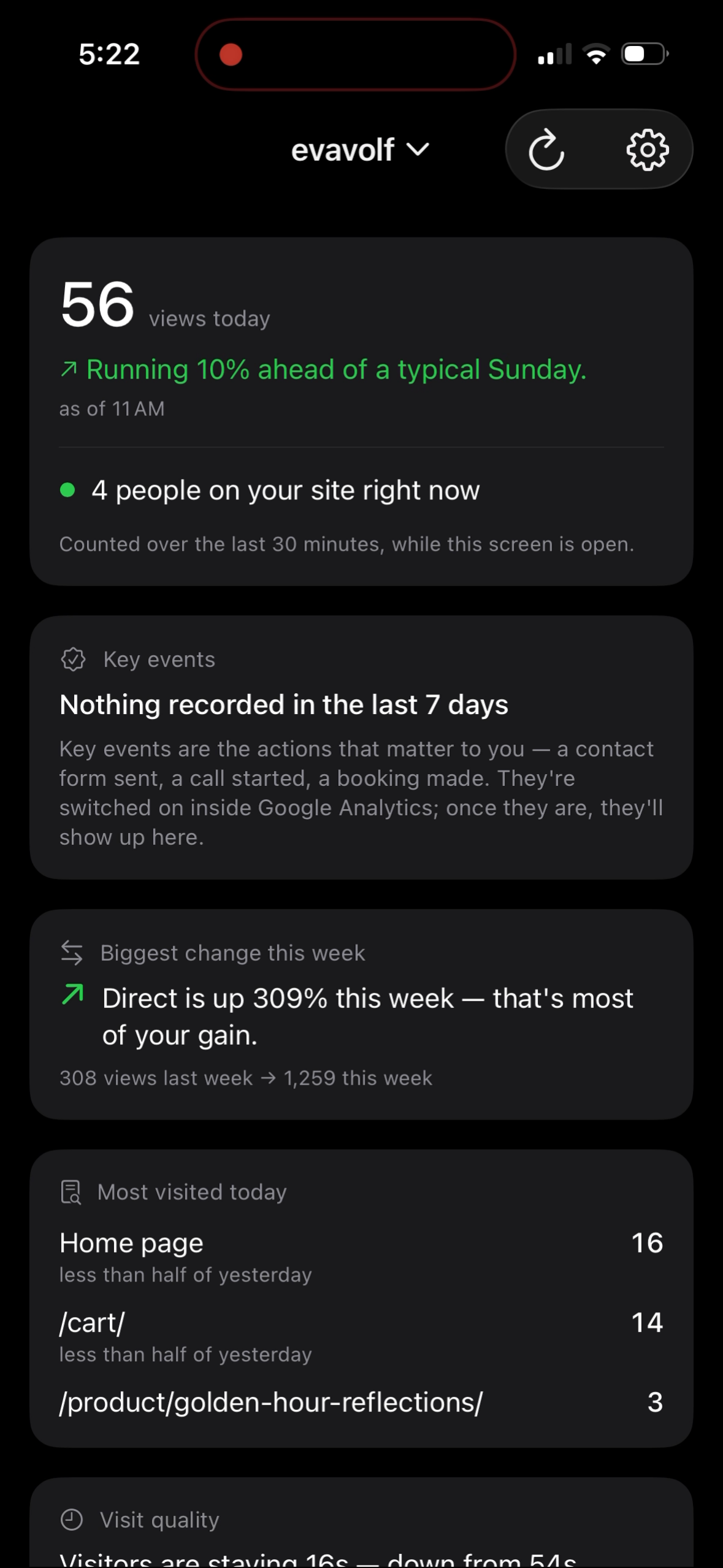
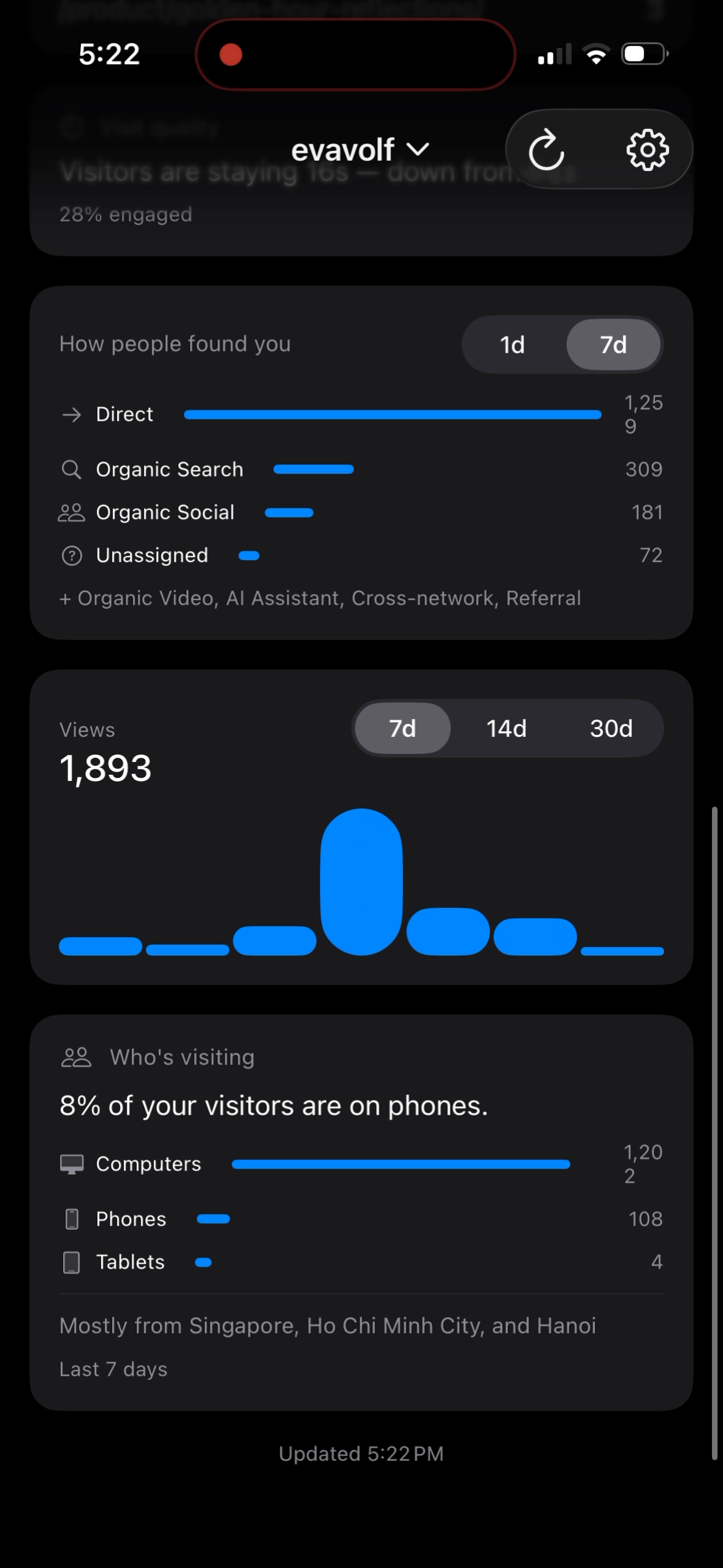
Three screens from the app on an iPhone. Figures shown are from a real site and will differ from yours.
What it tells you
Today, compared with normal
"Running 10% ahead of a typical Sunday, as of 11 AM." Views on their own do not tell you whether the day is going well; the comparison against the same hour on recent same-weekdays does.
Who is on the site right now
Active visitors in the last 30 minutes, refreshed while the dashboard is open. In-app only; a "right now" figure on a Home Screen widget would be hours old, so there deliberately isn't one.
What changed this week
The single channel that moved most against last week, in one sentence, plus the full breakdown of how people found you, for today or the last 7 days.
What people came to read
The most visited pages today, each against yesterday, so a page that has suddenly caught on is obvious.
Whether the visits were real
How long visitors stayed and what share engaged. We make no claim to filter bots; the numbers are simply shown honestly enough that a hollow spike is visible.
The trend, and who they are
A bar per day across 7, 14 or 30 days, the phone-versus-computer split, and the cities most visitors came from. Key events (form sends, bookings, calls) appear if your property records them.
On the Home Screen, Lock Screen and wrist
Home Screen widgets in three sizes, Lock Screen widgets in two, and complications on the watch face, all drawing the same sentences as the app, so nothing is phrased one way on screen and another way on your wrist.
The Apple Watch receives a copy from the iPhone after each refresh. It never signs in, never holds a Google token, and never contacts Google itself. Figures on the watch are illustrative.
How it works
- Sign in with Google. One read-only Analytics permission is requested. Nothing else.
- Pick your site from a list. SiteGlance shows every Analytics property your account can already read, grouped by account, and you tap one. If that list cannot be loaded, you can type a GA4 property ID instead. Manage several sites and you can switch between them from the title bar.
- Add the widgets you want. Small, medium and large on the Home Screen; circular and rectangular on the Lock Screen; complications on the Watch.
After that it stays out of the way. The app fetches your figures periodically, works out the sentences on the phone, and writes the result to a private container on the device; every widget reads from there. That is why tapping 1d / 7d / 30d on a Home Screen widget is instant and needs no network call at all.
How SiteGlance uses Google user data
The one permission it asks for
https://www.googleapis.com/auth/analytics.readonly
Read-only. SiteGlance cannot create, change or delete anything in your Google Analytics account. This single scope covers both APIs the app calls: the Analytics Data API for the figures, and the Analytics Admin API for one thing only: listing the properties you can already read, so you pick your site from a list instead of hunting for a numeric ID. Alongside it, Google Sign-In requests the standard openid, email and profile scopes to establish the session. No Gmail, Drive, Calendar, Contacts or Fitness access is requested, and no restricted scope is used.
Aggregate totals only
Every request asks for counts grouped by date, hour, channel, page path, device category, city or event name. SiteGlance never requests or receives anything about an individual visitor: no user IDs, no IP addresses, no event-level records.
It goes to your device, and stops there
There is no SiteGlance server. The response is cached in a private container on your iPhone so the widgets can draw, and copied to your paired Watch. SavvyWolf.ai never receives it, and it is never sold, shared or used to train any model.
No tracking of you
No analytics SDK, no crash reporter, no advertising identifiers, no ads. The app that shows you analytics collects none about you.
Deletion in one tap
Sign Out & Delete Data, in the app's gear menu, erases the sign-in tokens, every cached figure on the iPhone and the Watch, and your saved sites. Revoking the grant itself is done by you at myaccount.google.com/permissions.
SiteGlance's use and transfer of information received from Google APIs adheres to the Google API Services User Data Policy, including the Limited Use requirements. The privacy policy carries the full detail: every request the app makes, where each piece of data is stored, and how to delete it.
Download
SiteGlance is in preparation for the App Store and is not published yet. This page will carry the download link the day it is. To be told once when that happens, email volf.dmitry@gmail.com.
App Store link, coming soonSupport
SiteGlance is built and supported by one person, Dmitry Volf. Questions, bugs and feature requests all reach the same address and get a reply within two business days.